

Ingestion configuration
An ingestion configuration associates a data schema with observation metadata mappings. Creating the configuration saves these settings. An ingestion job uses them to import the data.
Before configuring ingestion, review Prepare data to check source file formats, column consistency and data quality. Confirm that the schema matches the prepared files.
Before you begin
Create and review the data schema. Identify any source columns that already carry observation metadata, particularly the column distinguishing training and test rows.
Create an ingestion configuration
-
Select Data Lab > Datasources, then select Ingestion Configurations.
-
Select Create to open Create ingestion configuration.
-
Enter a descriptive Configuration name and select the previously created Data schema.
-
Review Observation specification. This section maps source columns to observation metadata fields. Keep the prefilled names when they match your source data; otherwise enter the corresponding source column names.
-
Select Create to save the configuration. Confirm that it appears in Ingestion Configurations before selecting it in a job.
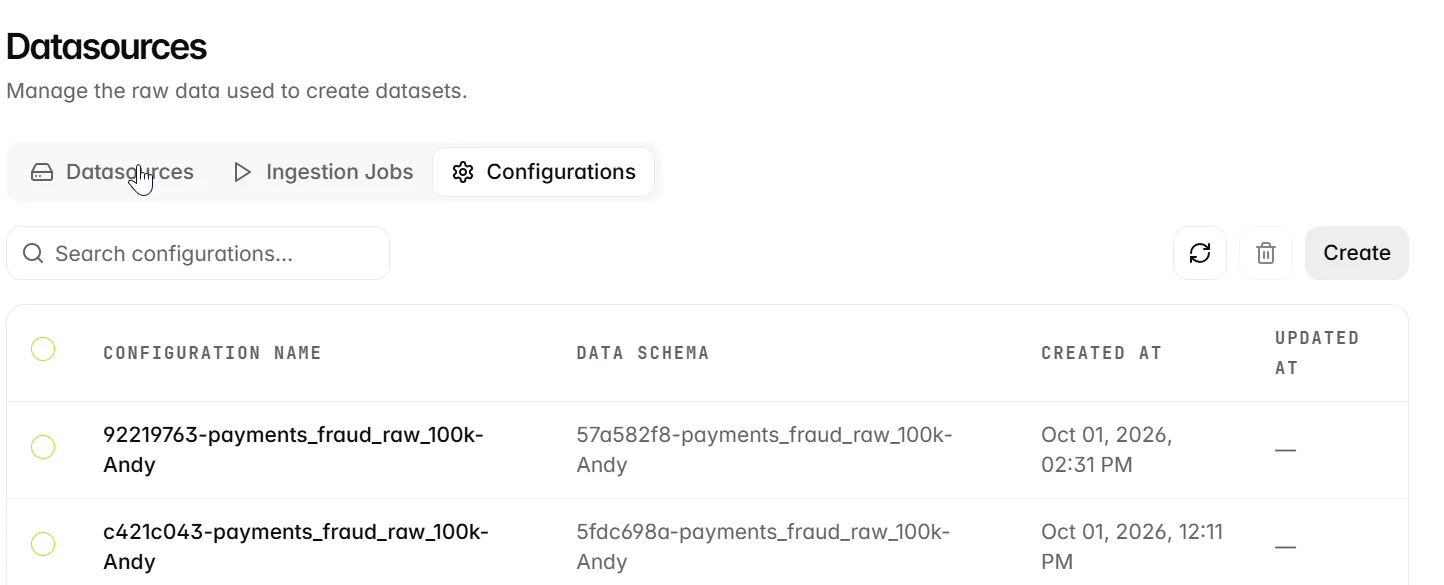
Map observation metadata
The form provides the following observation metadata mappings. If your source supplies observation types, check that training and test rows are mapped correctly. When no observation type is supplied, observations default to training data; test evaluation later in the workflow requires test observations.
The configuration list displays Configuration name, Data schema, Created at, and Updated at, so you can check which schema a configuration references.
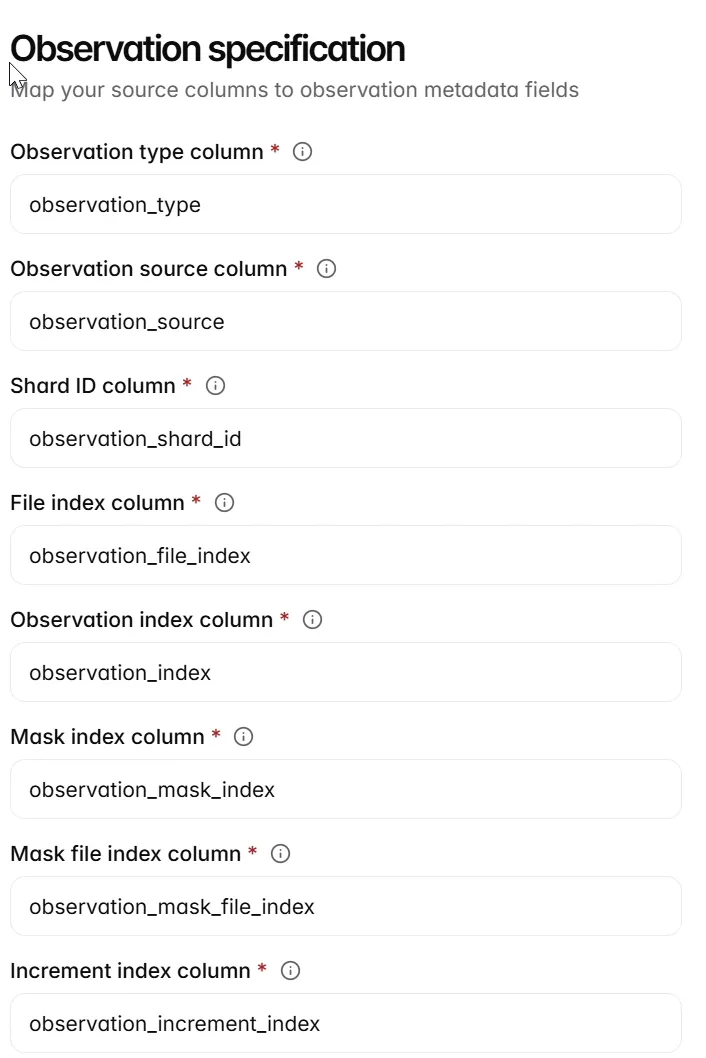
Choose observation mappings
The mappings identify source columns that already represent observation metadata. You do not need to add all eight metadata columns to an ordinary source file: the platform can add observation fields during ingestion. Change a mapping when your source uses a different name for that concept.
Review and reuse a configuration
Open the saved record and confirm the schema reference and observation mappings. Reuse it for source files with the same interpretation. The source bucket, path, machine and runtime belong to the ingestion job and are selected when that job is created.
Next steps
Continue to Ingestion jobs.