

Onboarding jobs
An onboarding job processes an available datasource into a dataset. Prepare an onboarding configuration and a processing compute configuration before submitting the job.
Before you begin
Confirm that the datasource is available, the onboarding configuration matches the prediction task and a processing compute configuration exists. Choose Initial for a new dataset or Incremental Update for an existing dataset. The job type also determines which configurations are offered.
Run an initial onboarding job
-
Open Datasets > Onboarding Jobs and select Create.
-
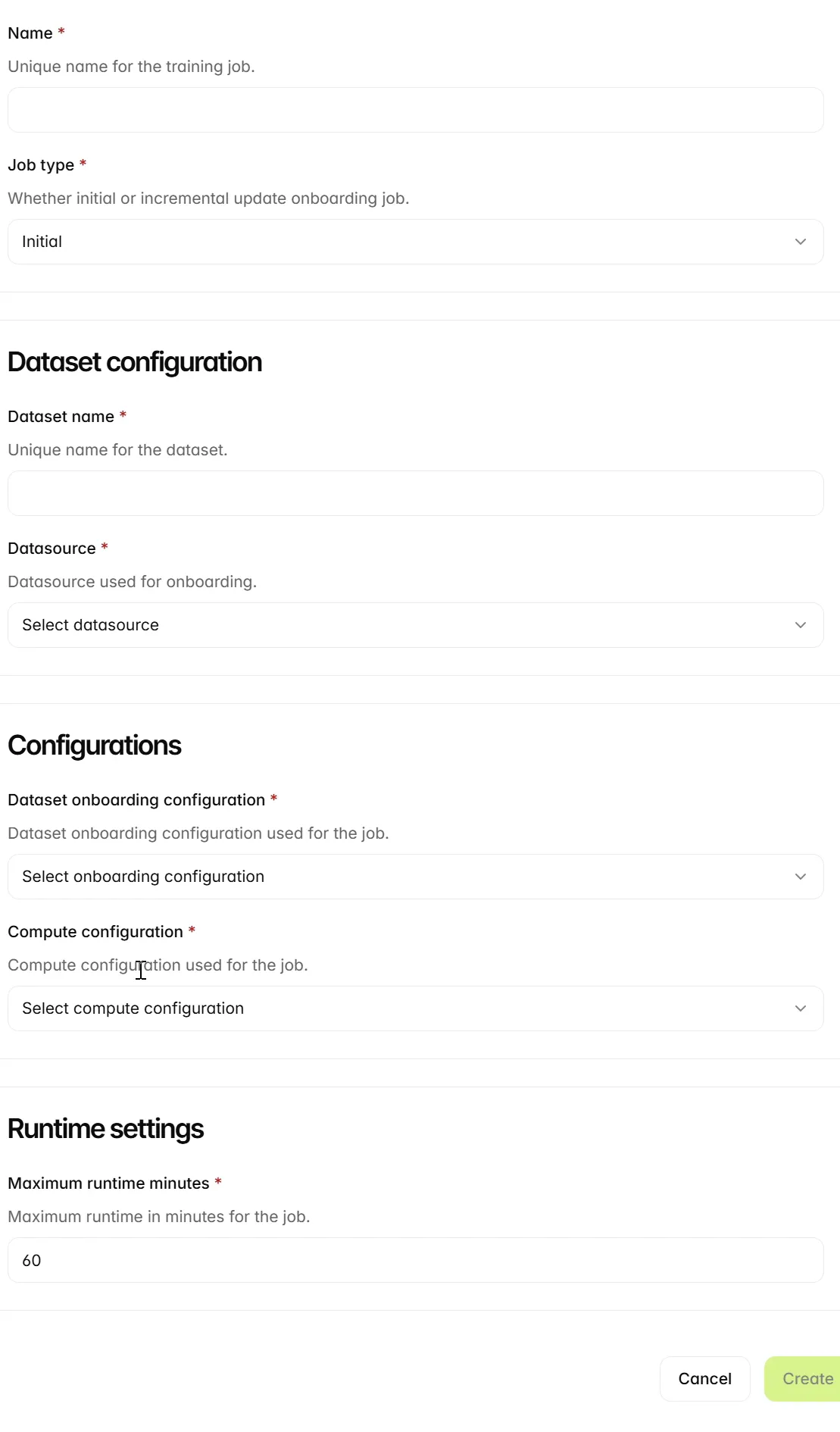
Complete the following fields, then select Create.
Review the selected inputs
Complete the datasource and configuration selections before submitting the job.
Check onboarding completion
-
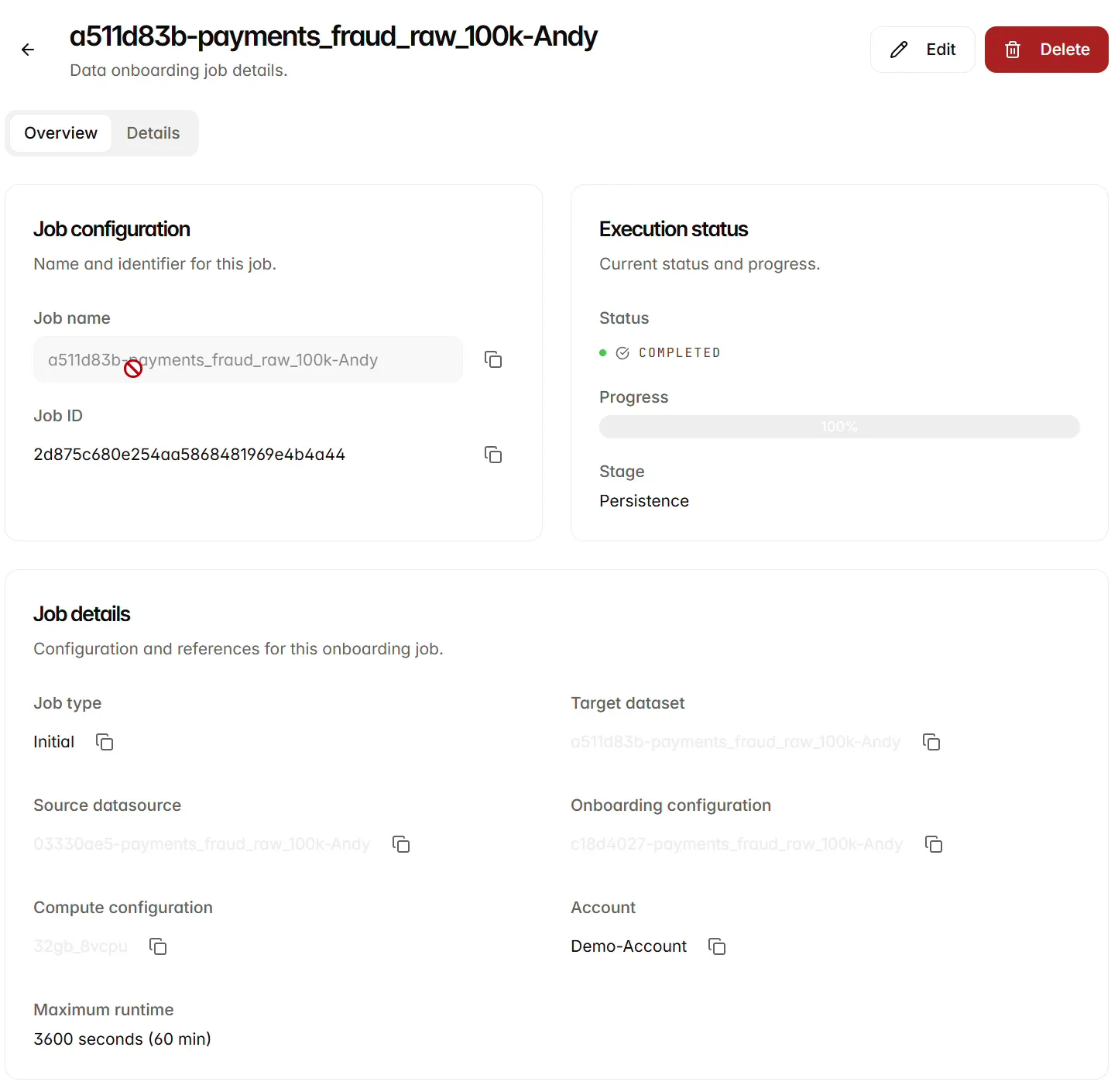
Open the job and inspect Status, Progress and Stage. Check the source datasource, target dataset and configuration references. The completed example shows COMPLETED, 100% and Persistence. If processing fails, inspect the error and verify the source and configuration before running the job again.
-
When processing succeeds, open Datasets and verify that the output dataset is AVAILABLE.
Update an existing dataset
- Open Onboarding Jobs > Create and enter a job name.
- Select Incremental Update and choose the existing dataset. Optionally supply an Increment label to identify the update.
- Select the datasource containing the additional data and an incremental onboarding configuration.
- Select processing compute and set a positive whole-number runtime in minutes.
- Review the resource references, select Create and monitor the resulting job.
- Inspect the output dataset and its increment and lineage information when processing completes.
Changing job type resets type-specific selections. If a configuration disappears, check that its type matches the selected job. An onboarding update changes the dataset context; train a new model when you need a model built from the updated data.
Next steps
Continue to Inspect datasets.