

Deploy models
Deploy an available trained model using a saved deployment configuration. Check that the deployment is running before evaluating it or requesting explanations.
Before you begin
Have an AVAILABLE trained model and a saved deployment configuration. Verify the model’s dataset and training-job references. For a feature-engineered model, prepare a running Feature Transform Service.
Deploy a trained model
-
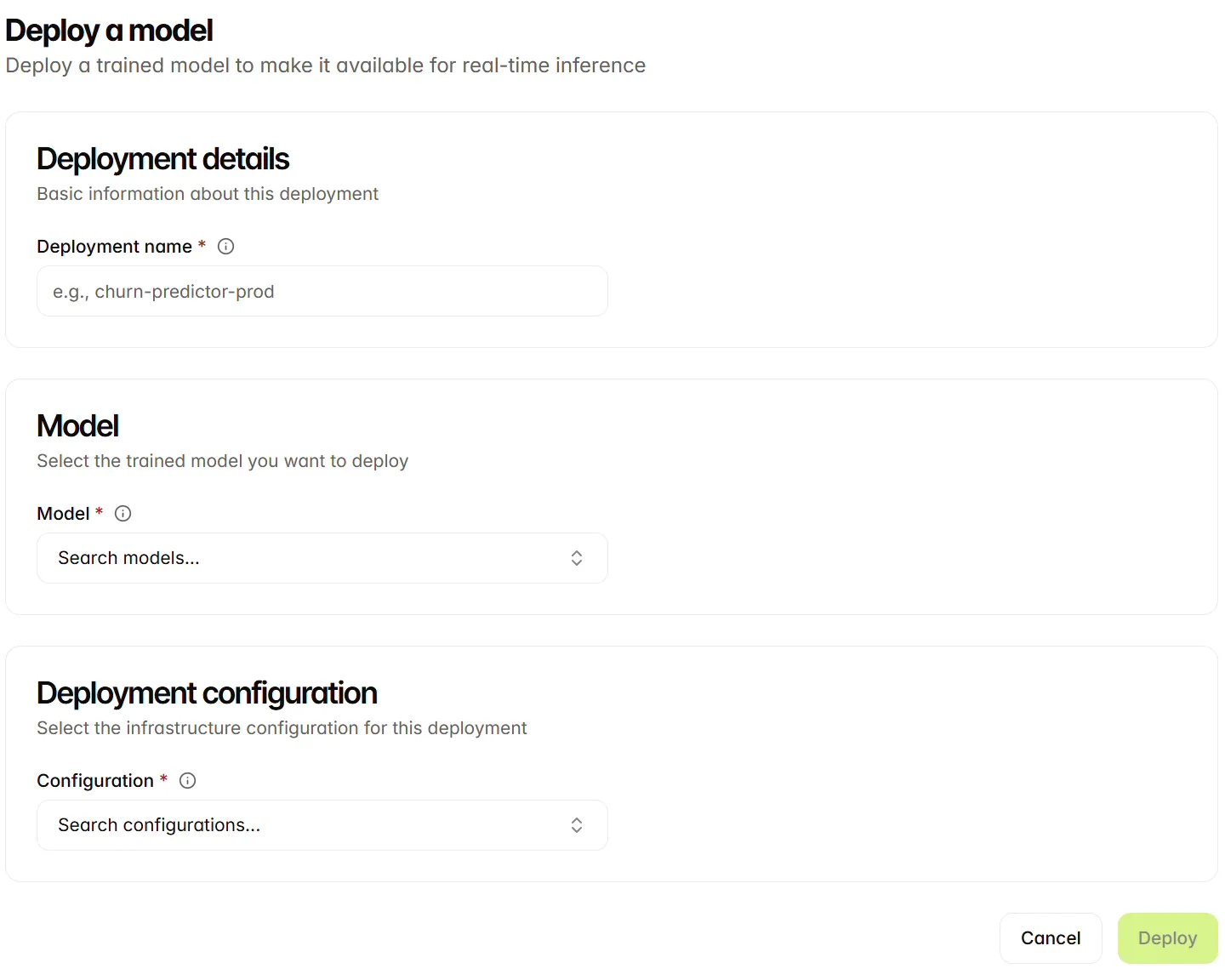
Open the Deployed models tab and select Create.
-
Enter a Deployment name.
-
Select the trained Model you intend to deploy.
-
Select the infrastructure Configuration created for that deployment.
-
Review the model and configuration, then select Deploy. For a model that uses feature engineering, select a running service in Select a Feature Transform Service and confirm the deployment.
-
Open the resulting deployment and inspect its status. Wait until it is RUNNING before querying or evaluating it.
Keep any selected Feature Transform Service running so that prediction inputs can be transformed. Use the deployment in Model Evaluation and Explanation Lab. For API requests, use the deployed-model identifier and REST API authentication.
Verify a deployment
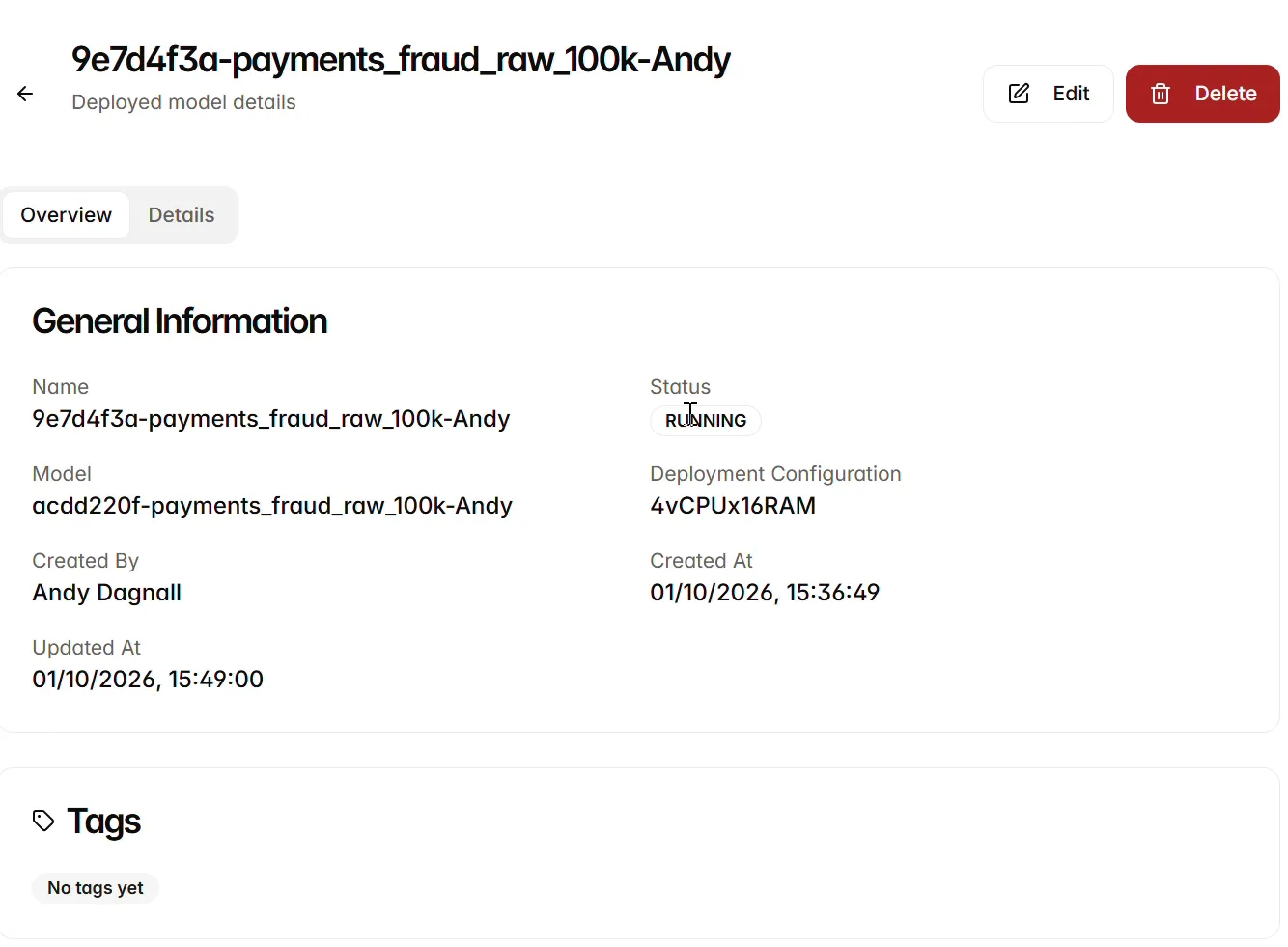
Open a deployed model’s Overview. Check its name, Status, underlying Model, Deployment Configuration, creator and timestamps. Verify that the configuration matches the serving setup you intended.
The example 9e7d4f3a-payments_fraud_raw_100k-Andy is RUNNING and references model acdd220f-payments_fraud_raw_100k-Andy with configuration 4vCPUx16RAM. It uses a different configuration from the Serverless example. Follow the model and configuration references to verify the resources used by your deployment.
Use the deployment
Once the intended model and deployment are available, continue to Explanation views for the Explanation Lab. Keep the model identity and source dataset in view so that explanations and evaluation results can be traced to the correct resources.
Delete a deployment
Open the deployed model and select Delete. Review the deployment identity and confirmation before proceeding. Removing the serving resource makes it unavailable for evaluation and explanation queries; check whether it is still in use before deleting it.
Next steps
Continue to Evaluate models.