

Ingestion
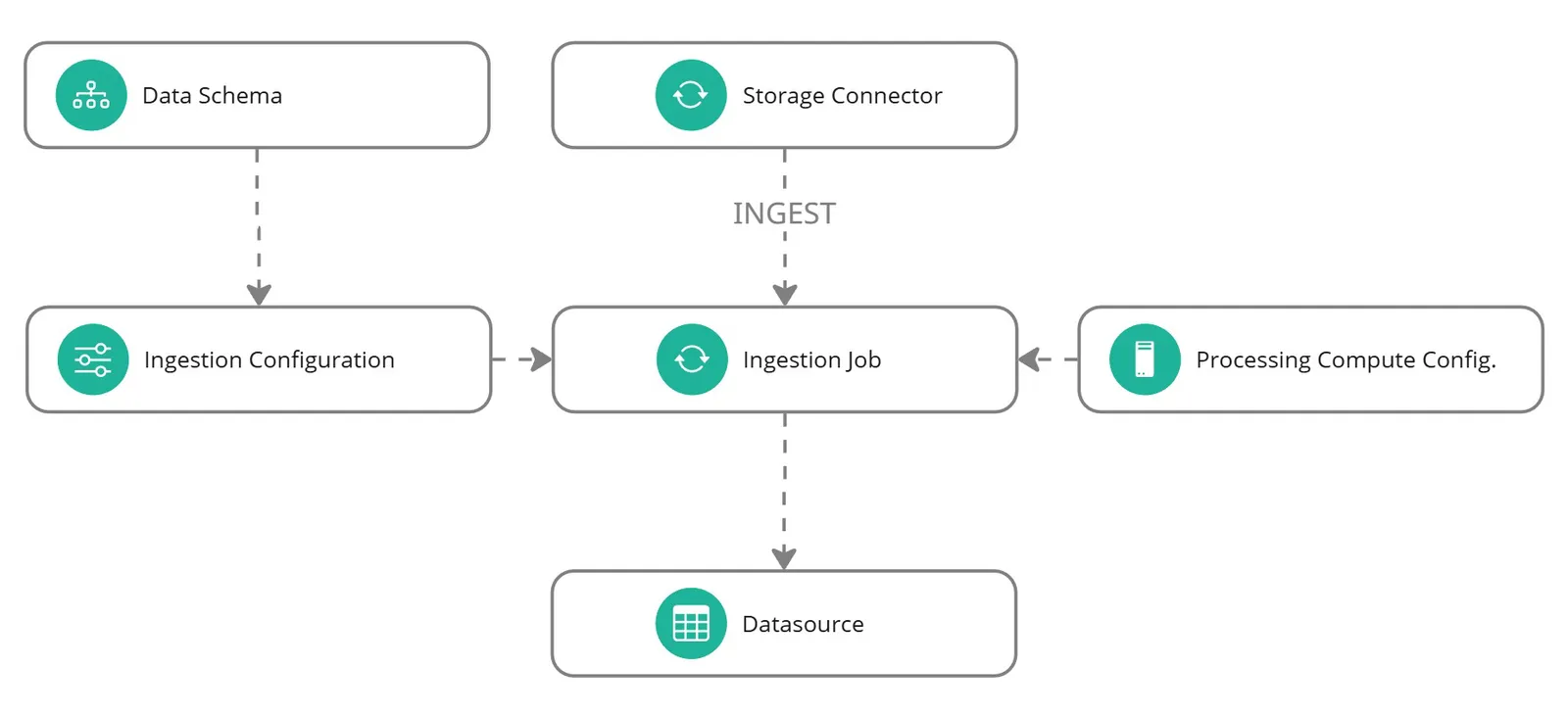
Ingestion reads source files, applies a data schema and creates a datasource for onboarding. It connects the data in your storage bucket with the field definitions you reviewed in the schema.
The configuration, job and datasource have separate roles. Saving a configuration records the settings. Running a job applies them to source files. The datasource is the resulting data resource.
How ingestion works
Storage and schema
A storage connector provides access to the files. The data schema defines how each column should be interpreted.
Configuration
The ingestion configuration combines the schema with settings for interpreting observation metadata, such as observation identifiers and train or test labels.
Initial and incremental ingestion
An Initial job creates a new datasource. An Increment job adds data to an existing datasource using its schema. An optional Increment label helps identify the update.
An ingestion increment does not automatically update a dataset or retrain a model. Onboarding and training remain separate stages, with their own jobs and outputs.
Find ingestion resources in the app
Under Data Lab > Datasources, the configuration, job and datasource tabs let you move from saved settings to execution history and the resulting data. Use the resource references and lineage to confirm which files and settings produced the datasource.
Next steps
Create an ingestion configuration, then run an ingestion job.