

Data schemas
A data schema defines the source fields and their properties. An ingestion configuration maps the source data to that schema. An ingestion job runs the configuration against files in storage and produces a datasource. Create these resources in that order, then check the datasource before using it for dataset onboarding.
How a schema describes your data
Each schema field represents one source column. Its Name identifies that column, its Data type and Data format describe how values are stored, and its Designation determines their role in modelling.
For this onboarding workflow, choose at least one target and at least one feature. The number of targets depends on the outputs you want to predict. Identifiers that only distinguish rows, such as transaction IDs or UUIDs, usually belong in Ignored.
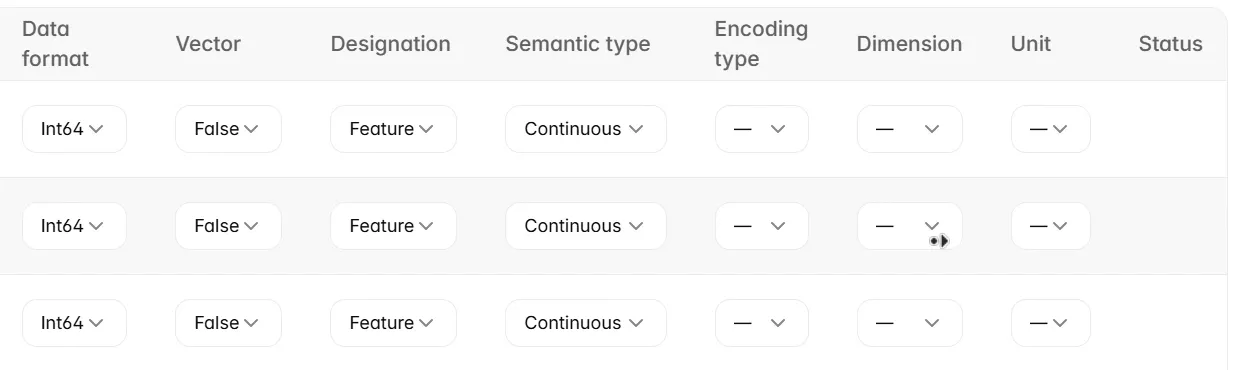
The physical type of a value and its modelling meaning can differ. A numeric category code is stored as a number but represents a category rather than a continuous measurement. Semantic type captures this distinction. Encoding type controls how values such as categories or dates are represented during onboarding.
Retrieving a schema infers field settings from the source files. Treat those settings as a starting point: review their meaning before saving. Ingestion uses the saved schema to interpret the files, and onboarding uses that schema context to prepare the training dataset.
Free-form natural language text and complex nested values are not currently supported for processing. Transform them before ingestion, or mark them as ignored. A schema type being available does not by itself establish that it is supported as a model feature.
Before you begin
Have a storage connector with read access to your source files and know their path relative to the bucket. Use CSV or Parquet files; a folder must contain at least one supported file and must not mix the two formats. Have a processing compute configuration ready for the ingestion job. See Storage connectors.
Create a data schema
-
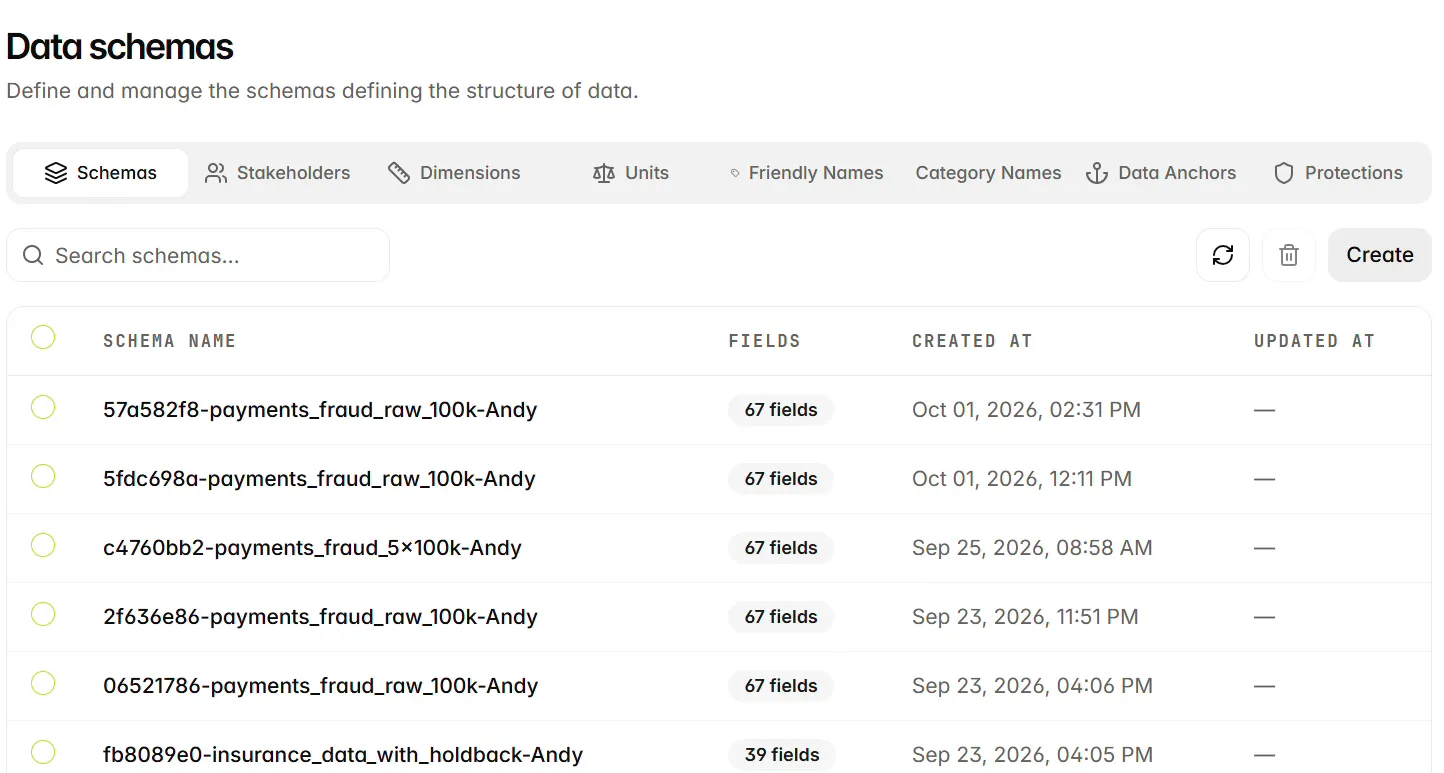
Select Data Lab > Data Schemas in the left navigation, then open the Schemas tab.
-
Select Create to open Create data schema.
-
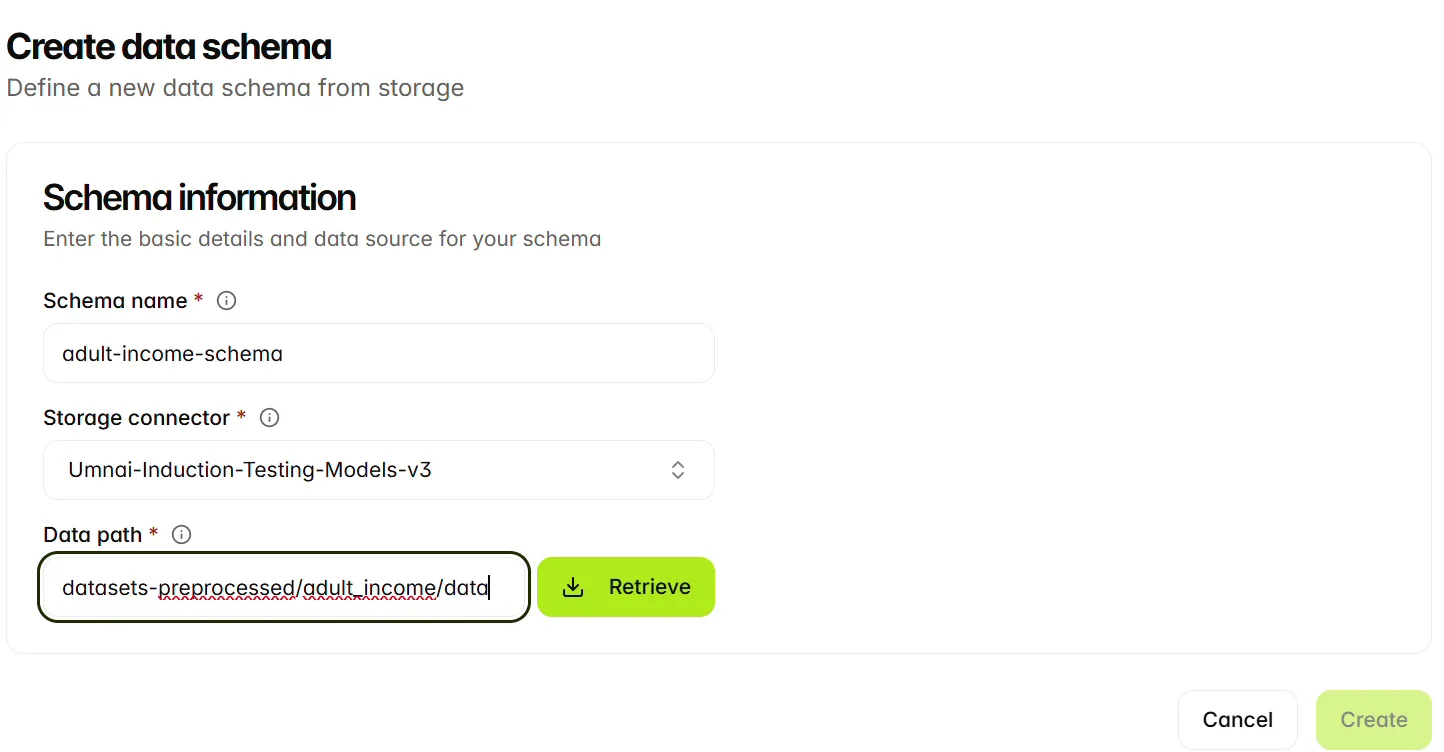
Enter a Schema name, select the Storage connector, and enter the Data path relative to the bucket. The example uses adult-income-schema and datasets-preprocessed/adult_income/data, a folder containing Parquet files. You can also specify a single supported file.
-
Select Retrieve. The platform reads the source and populates Data schema fields for review.
-
Check the retrieved fields and their settings. The table includes Name, Data type, Data format, Vector, Designation, Semantic type, Encoding type, Dimension, Unit, and Status. Scroll horizontally to inspect columns outside the visible area.
-
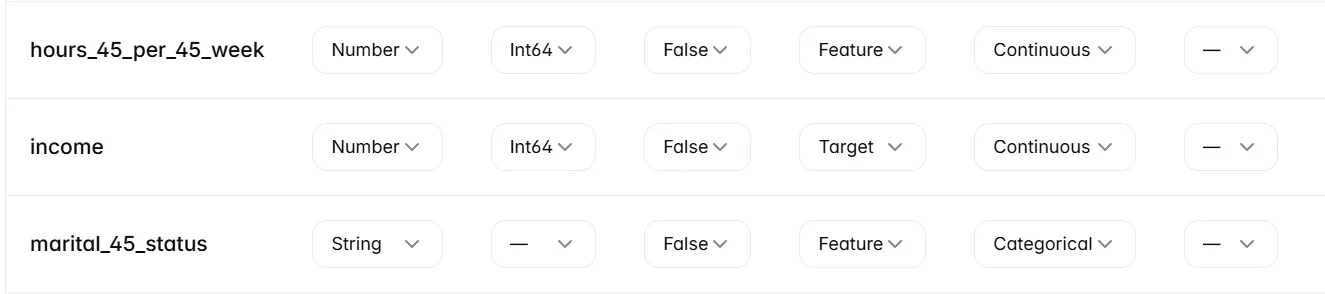
For the field you want to predict, set Designation to Target. The example sets income to Target; the other feature fields retain Feature. Review each field’s data and semantic types and set fields that should not be used to Ignored.
-
Select Create to submit the schema. Locate the saved schema in the Schemas list before using it in an ingestion configuration.
Review the retrieved fields
Inspect the field properties, then confirm the target designation.
Choose field properties
A retrieved schema is a starting point for review. Check that the detected types and field roles match the meaning of the source data before saving it.
Stakeholders, dimensions, units, friendly names, category names, data anchors and data protections are a work in progress.
Choose a single target for the onboarding workflow if you intend to make single-output predictions. For multi-valued output predictions, you can select more than one target. For multi-class predictions, use a single target; its class values define the possible outcomes. Do not retain an identifier as a feature merely because it has a numeric type; decide whether it contains information appropriate to the prediction task.
Review the saved schema
Open the saved schema and check its field definitions before choosing it in an ingestion configuration. If you change the intended field types or target, review the dependent ingestion and onboarding settings as well. Retrieving or saving a schema does not import the data.
Next steps
Continue to Ingestion configuration.