

Trained models
A trained model contains the result of a training job. A deployed model is the serving resource used for evaluation and explanations. Inspect the trained model first so that the deployment points to the intended output.
Before you begin
Complete a training job and identify its output model. Keep the job, dataset and workspace references available when comparing runs.
Inspect a trained model
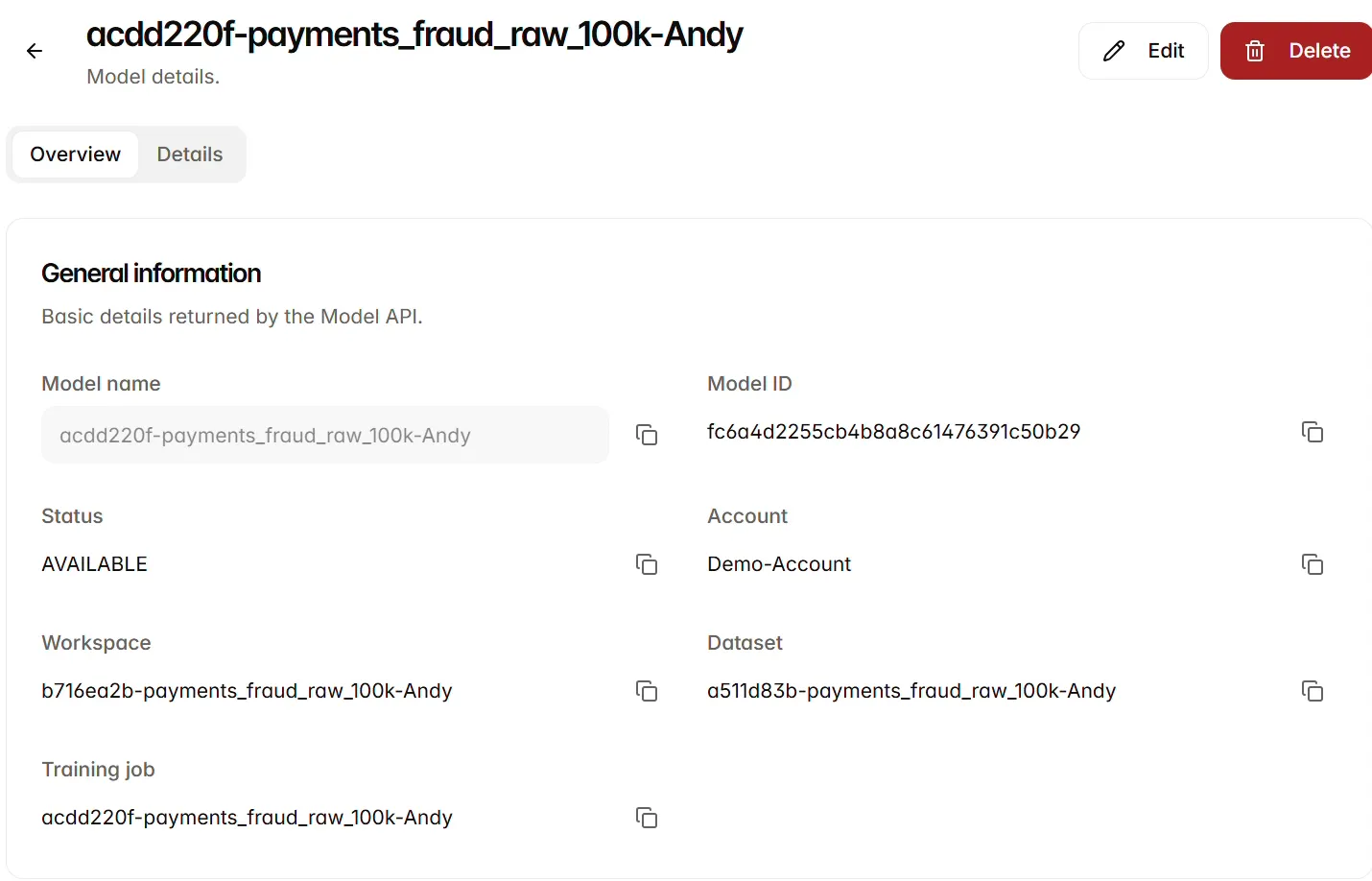
Open Models, locate the intended model and open its Overview. Check the model name and ID, Status, account, workspace, dataset and training job. These references let you confirm that you are inspecting the expected output.
The example model acdd220f-payments_fraud_raw_100k-Andy is AVAILABLE and references the payments fraud dataset. Review Tags and Audit trail for its metadata and history. Open Details when you need the underlying resource record or identifiers.
Check readiness for deployment
Use Search models… in Models to locate a record, and refresh the list after a training run. Open the resource references in the model overview when tracing its origin.
Delete a model
In Models, select the records to remove and use the delete control. Review the confirmation and check dependent deployments before continuing. Deletion permanently removes the selected model resources; retain the run information you need for your records before removing them.
Next steps
Create a deployment configuration, then deploy the model.