

Symbolic explanations
Generate and review a written interpretation of a module’s rules.
Symbolic Explanations generates a written interpretation of a selected module’s decision rules. Use it to inspect learned module logic; use Local explanations for a particular observation.
Before you begin
Choose a running deployment and a module with decision rules to inspect. No individual observation is required. Check the rule conditions and expressions before asking for a narrative interpretation.
Generate a symbolic explanation
-
Open Explanation Lab > Symbolic Explanations.
-
Select the intended Deployed Model.
-
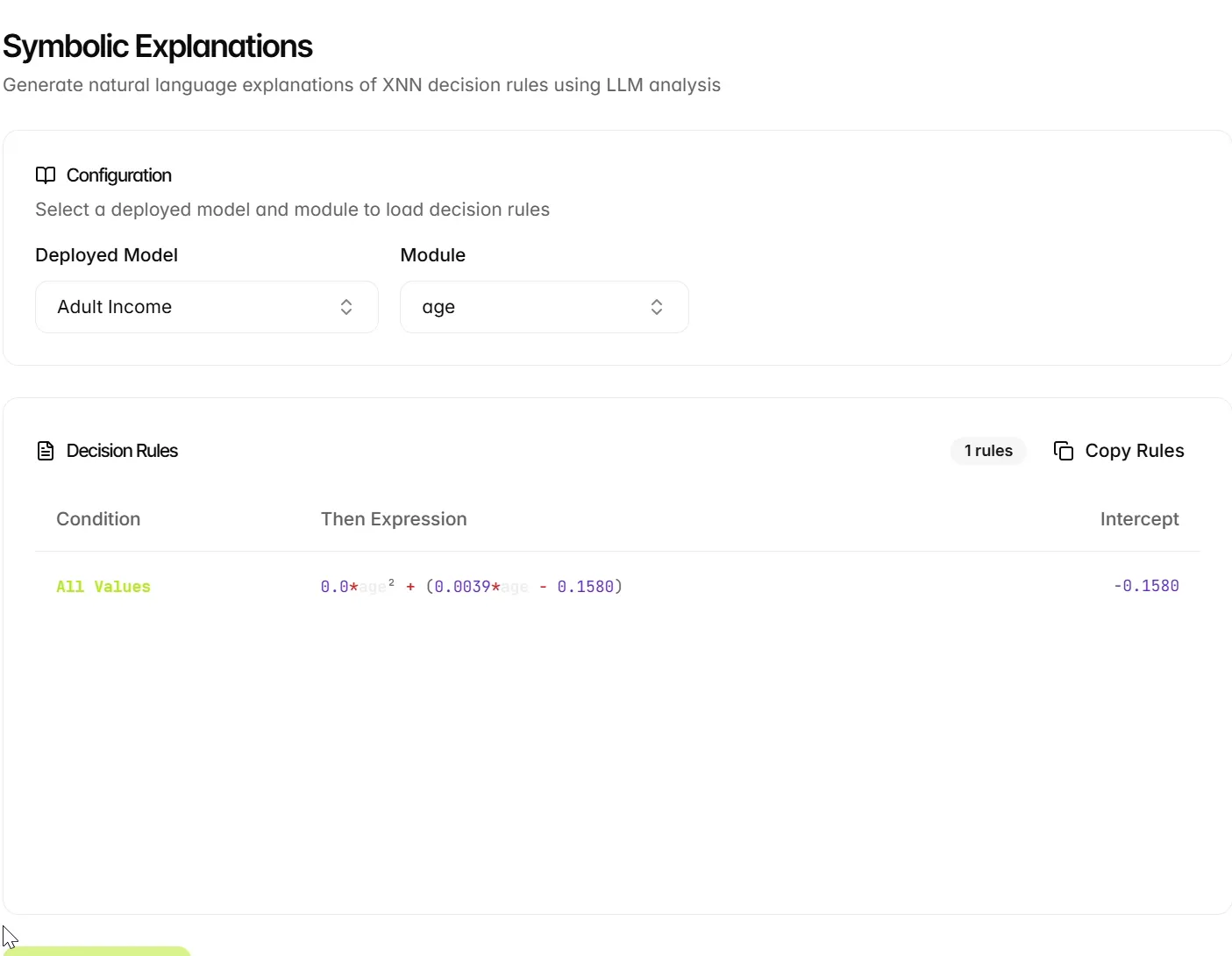
Choose a Module. The example selects age.
-
Review the displayed Decision Rules, including their condition, expression, and intercept.
-
Select Generate Symbolic Explanation.
-
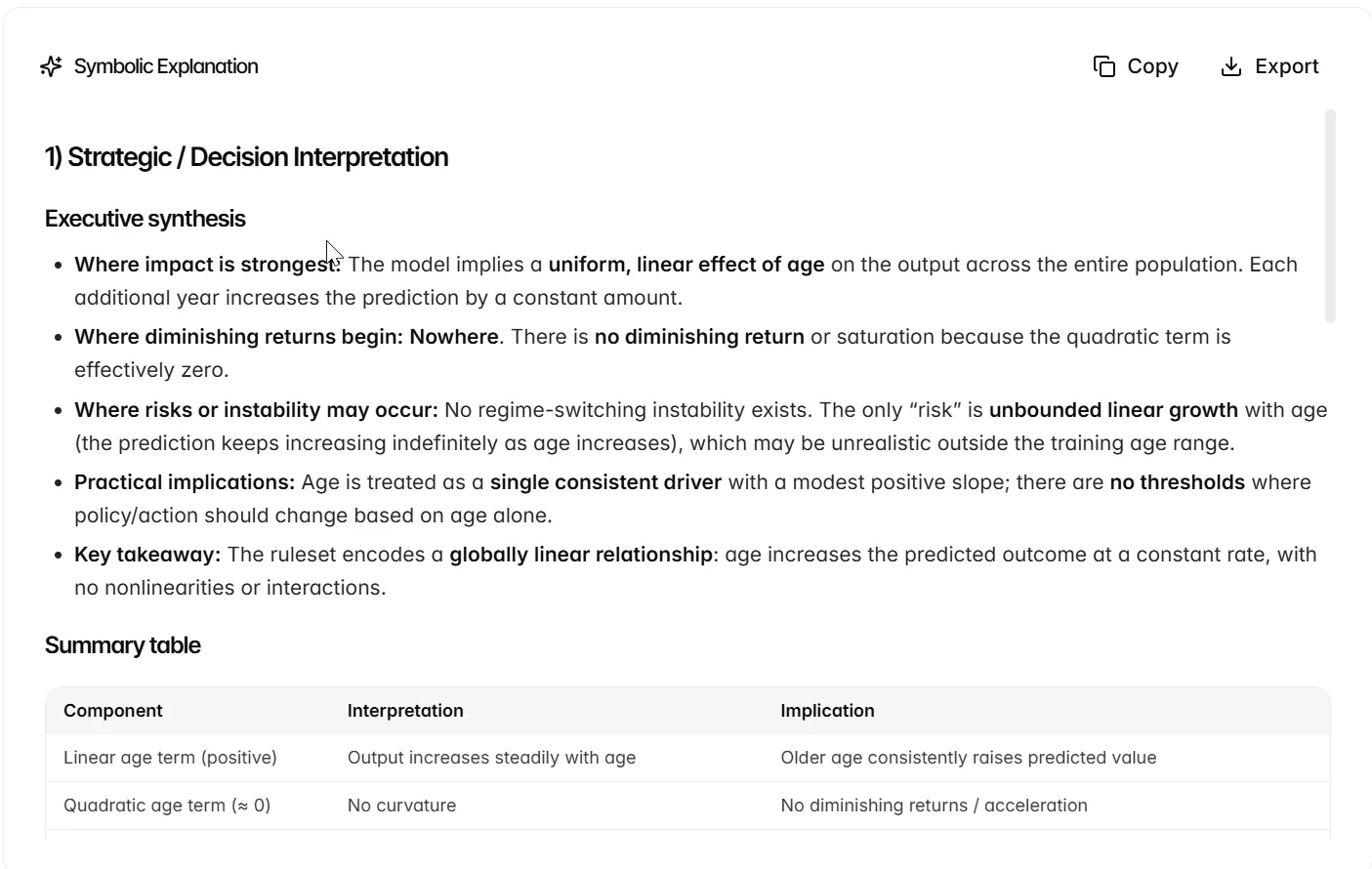
Read the completed explanation alongside the source rule.
Interpret and review the result
The selected age module has one rule with condition All Values. Its displayed expression is 0.0*age² + (0.0039*age - 0.1580), and its intercept is approximately -0.1580. These are rounded values for the example model; use the values from your own selected module when interpreting its rule.
The example explanation includes an overview, model-structure summary, per-regime interpretation, cross-regime dynamics and rule references. Use Copy to copy the generated text, or Export to choose Markdown or PDF when the explanation is ready to reuse.
Symbolic Explanations interprets a selected module’s rules. It does not require an input value for a particular observation. Use Local Explanations when you need to explain a prediction for a specific record.
Review before reuse: verify that the narrative agrees with the rule, distinguishes a module contribution from the final prediction, and preserves the scale and rounding of any quoted values. A statement about increasing a module’s contribution should not automatically become a claim about a causal effect or the complete model’s output.
Copy or export a reviewed explanation
After checking the narrative against the selected rule, use Copy or Export. Retain the deployment, module name and source rule with the generated text. When a coefficient is rounded on screen, preserve that rounding in the narrative instead of presenting extra precision.
Next steps
Continue to Use explanations.