

Deployment configuration
Open Serving > Deployed Models > Configurations. A deployment configuration defines the serving resources for a model. Save the configuration first, then select it when creating the deployment.
Before you begin
Identify the trained model and expected serving workload. Decide whether you need on-demand serverless serving or dedicated instances. Training and processing compute configurations are separate resources and cannot be substituted for a deployment configuration.
Create a deployment configuration
-
Select Create and enter a Configuration name.
-
Select a Deployment type. The example uses Serverless, which provides on-demand scaling. For dedicated serving resources, select Real-time (Dedicated).
-
For Serverless, choose Memory size (MB). For Real-time (Dedicated), choose the serving Machine type.
-
For Serverless, set Maximum concurrency. For Real-time (Dedicated), set Instance count to at least 1.
-
Select Create, then open the saved configuration and check the serving settings.
The Serverless example uses 6144 MB of memory and maximum concurrency 1. The memory choices range from 1024 MB to 6144 MB in 1024 MB increments. Choose memory and concurrency for the model size and expected request volume; the example values do not establish capacity for your workload.
Give each configuration a name that distinguishes its serving setup. When creating a deployment, verify that you have selected the configuration with the intended deployment type and resources.
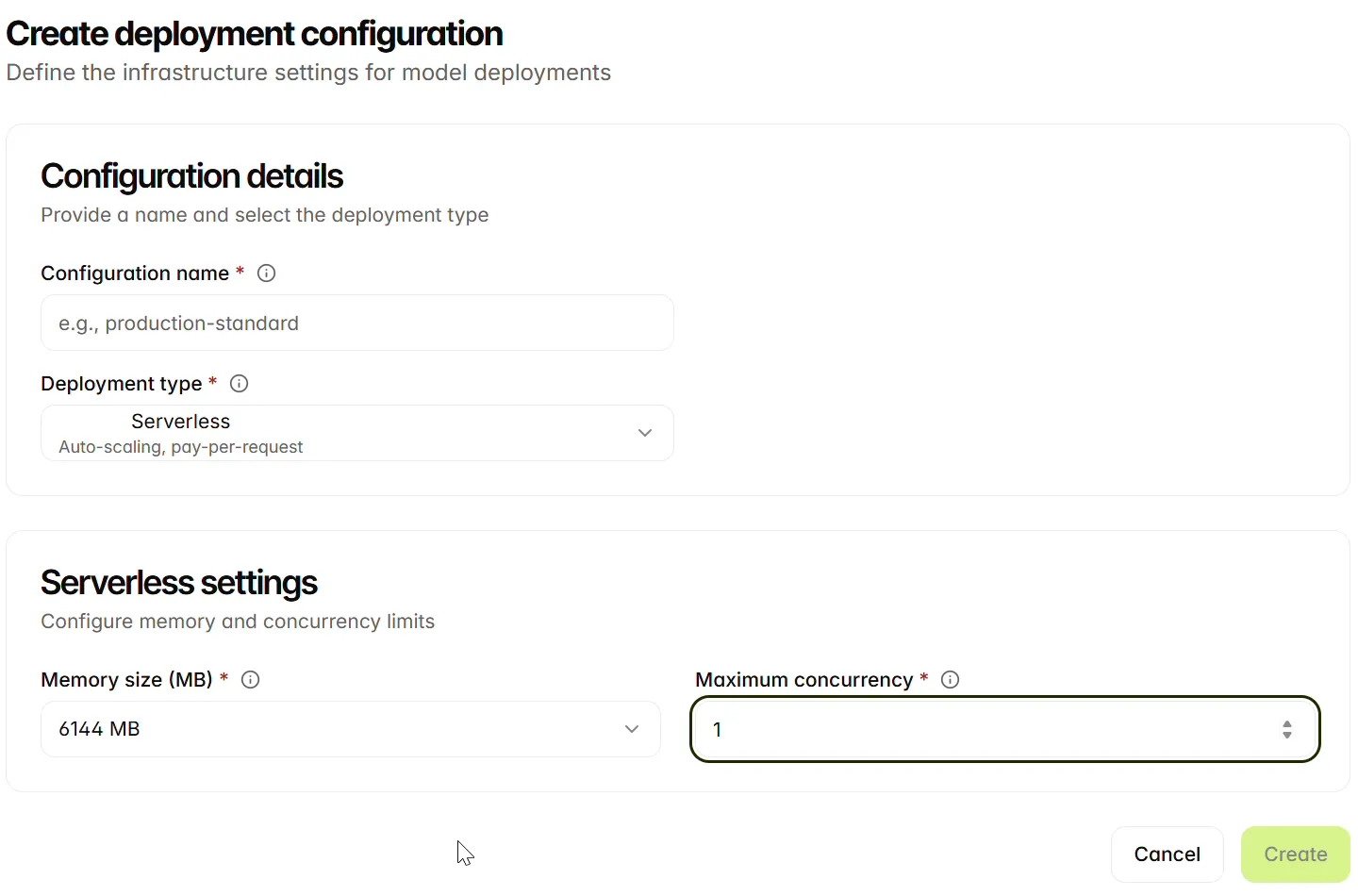
Choose serving resources
The current Serverless form starts at 2048 MB and concurrency 100. The screenshot shows a deliberately different example. Neither the starting values nor the example establish capacity for a particular model; verify the saved settings and evaluate the deployment with your workload.
Review and reuse a configuration
Open the saved record and confirm the deployment type and the settings that apply to that type. Reuse the configuration when another deployment needs the same serving setup. Create a separate configuration when testing a different machine, memory allocation or concurrency limit so that the selected setup is unambiguous.
Next steps
Continue to Deploy models.