

Model structure and decision rules
Global Explanations shows the learned model structure and decision rules. Select the intended deployment before browsing its modules and partitions.
Before you begin
Select a running deployment whose learned structure you want to inspect. Global views do not require a new input record. Keep the underlying model identity with any copied rule so it can be traced to the correct trained output.
Browse model structure and decision rules
-
Open Explanation Lab > Global Explanations.
-
Select the intended Deployed Model.
-
Open Model Structure.
-
Search for a module and inspect its partitions, conditions, expressions, and intercepts.
-
Switch to Decision Rules to read the rules for a selected module.
Interpret model structure
The Adult Income example reports 19 modules and 48 total rules. Those counts describe this model.
Long expressions can be truncated in the table. Inspect the decision-rule view before quoting a formula.
The example selects gender in Decision Rules and shows one rule with condition All Values. Its expression includes category terms for Male, Female and __MASK__, with an intercept of approximately -0.0080. Read the condition, expression and intercept together.
Copy rules and open Rule Explorer
Select Copy Rules to copy the displayed rules. Select Open Rule Explorer to open the dedicated view, where Rules and Code View provide alternative representations. Use Back to Global Explanations to return to the model context.
Use the rules to understand the learned module logic. A module’s rule alone is not a complete explanation of the final model output.
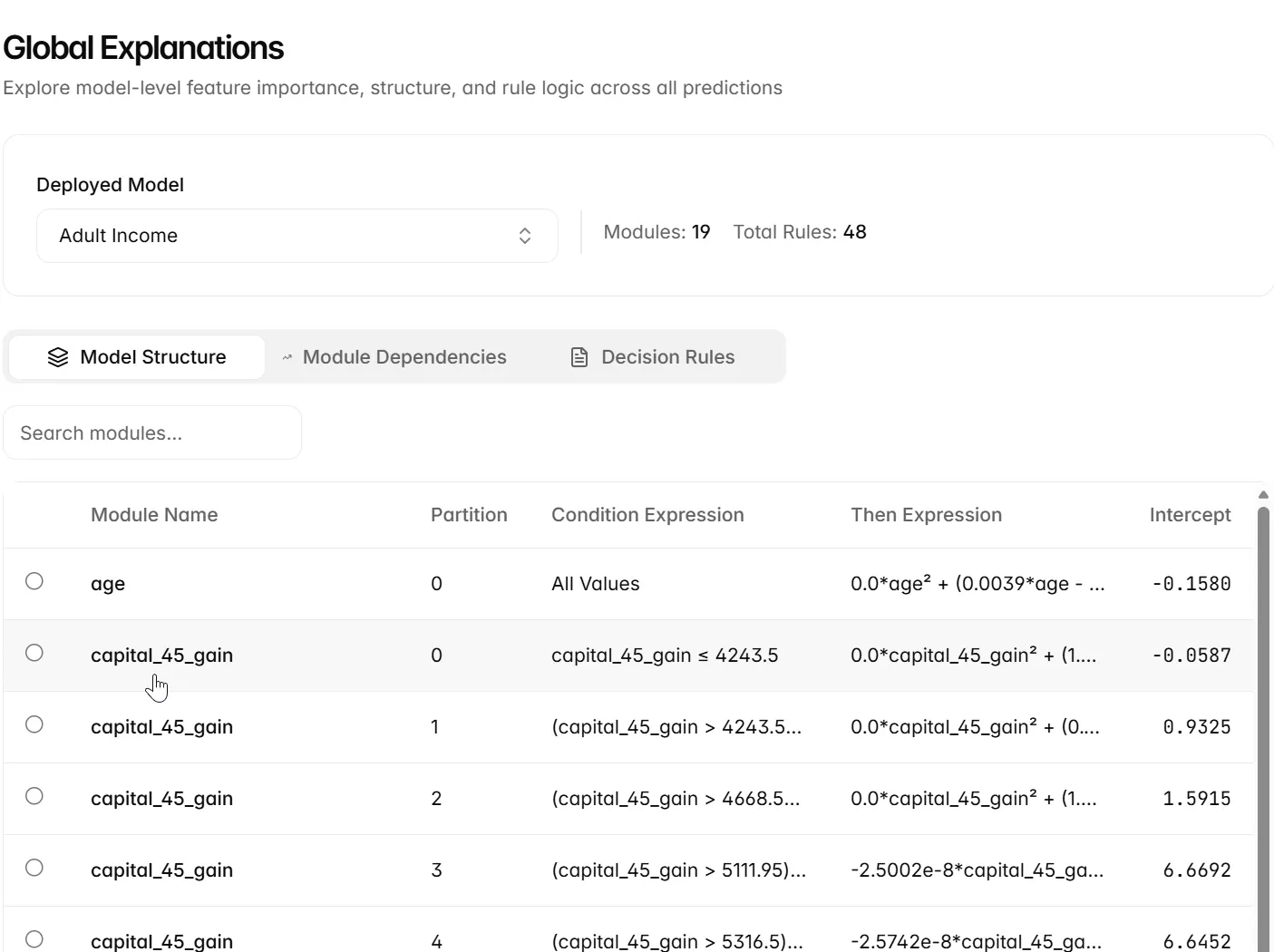
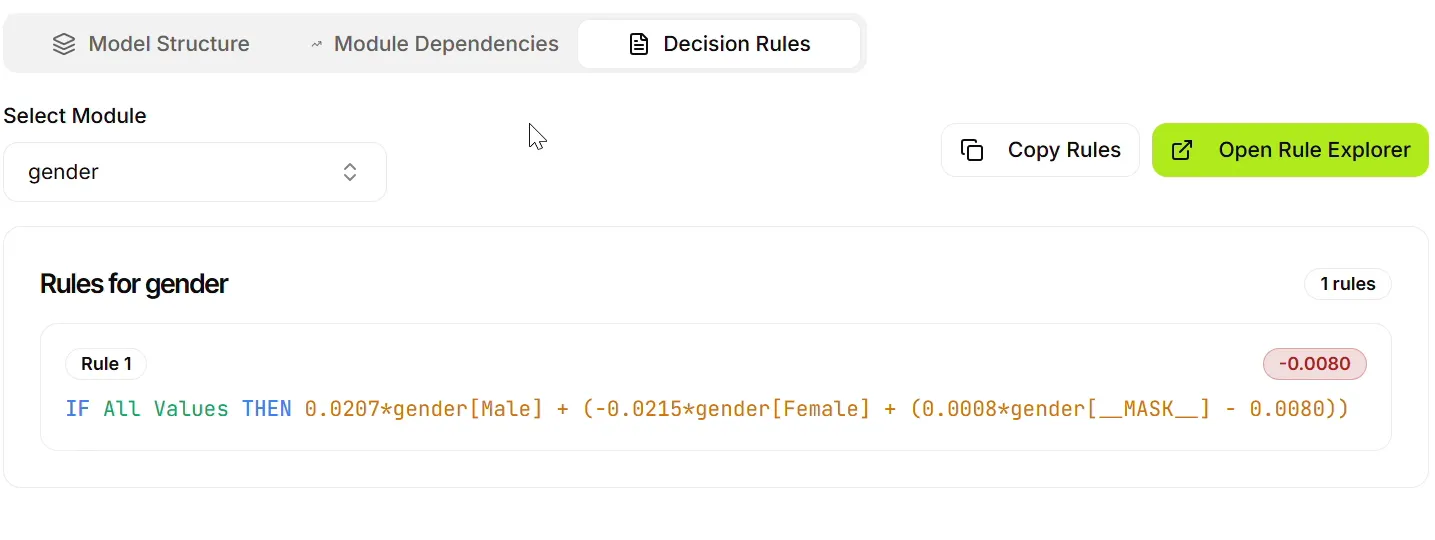
Read each partition as a condition paired with the expression applied in that region. Inspect the condition before comparing coefficients: expressions from different regions need not apply to the same values. All Values indicates that the displayed rule covers the module’s full input region in that view.
A model combines module contributions and applies its output transformation. To connect a global rule to one prediction, return to a local explanation for the same deployment and a specific record.
Next steps
Continue to Module dependencies.