

Training jobs
A training job runs the selected dataset and configurations to produce a model. Prepare a workspace, an available dataset and training and compute configurations before creating the job.
Before you begin
Have an AVAILABLE dataset, a saved workspace, a training configuration and a training compute configuration. If you use model constraints, prepare constraints that refer to the dataset’s intended features.
Choose distinct job and model names: the job records an execution, while the model is its output. The runtime limit on this form is in minutes.
Configure a training job
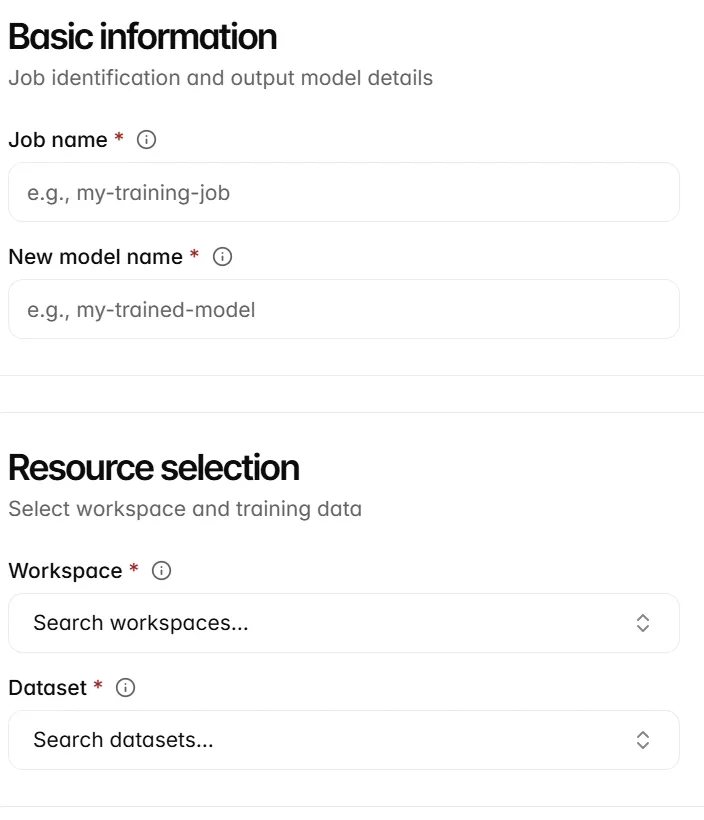
A training job brings together the resources and settings for one training run. Open Training jobs and select Create. Complete the required fields marked with an asterisk.
-
Enter the job and output model names.
-
Select the workspace and dataset.
-
Select the training and compute configurations.
-
Set Maximum runtime (minutes) to your intended limit.
-
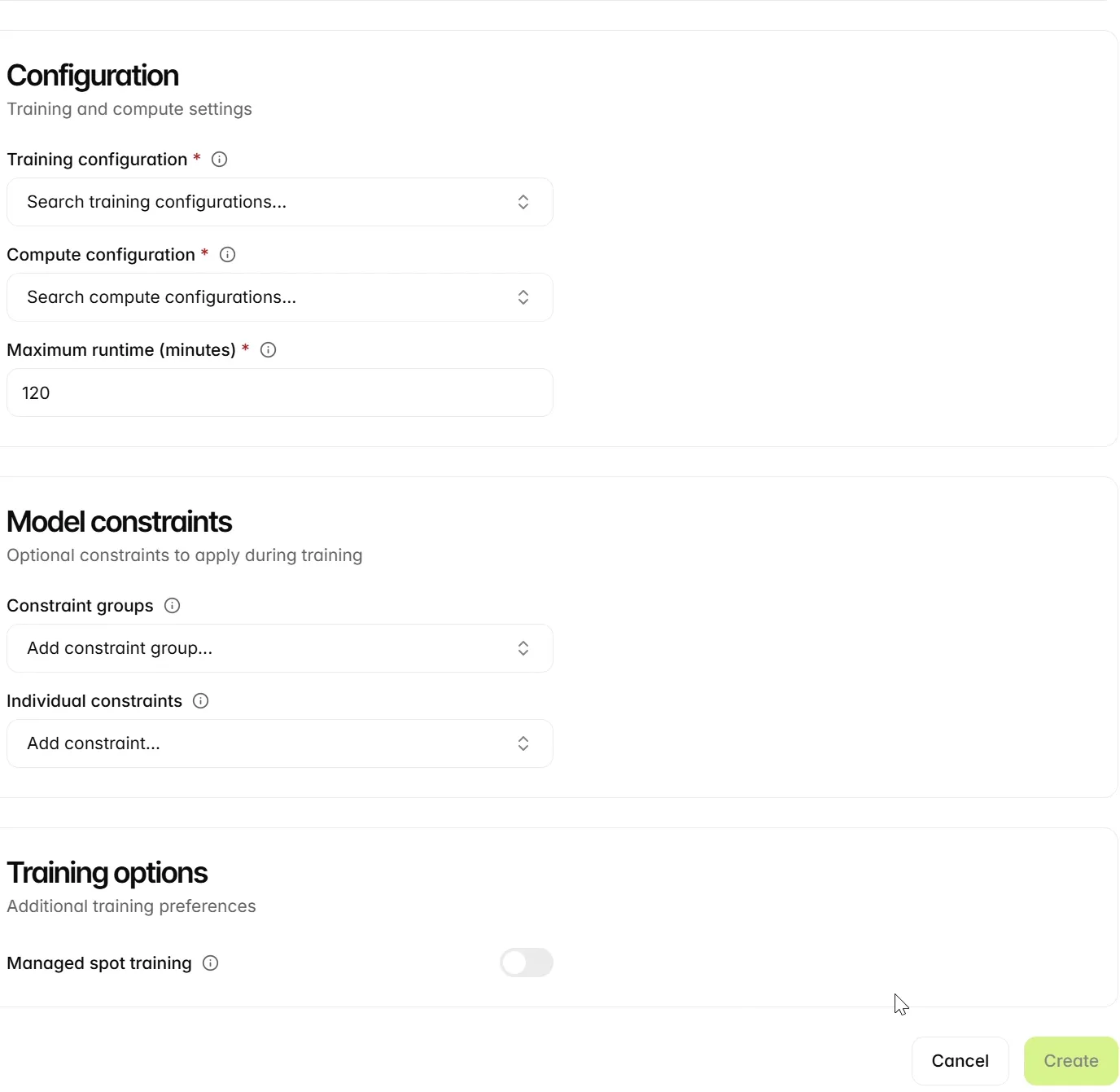
Select any applicable Constraint groups or Individual constraints. Use saved constraints that match the intended features and modelling task.
-
Decide whether to enable Managed spot training. Spot training can reduce cost, but interruptions restart the run because checkpointing is not supported. Leave it off when the run cannot tolerate interruptions and restarts.
-
Review the selections and select Create.
After submitting the job, open its record to monitor progress. Confirm that the output model becomes AVAILABLE before using it in a deployment. Creating or selecting a training configuration by itself does not start training.
Select the training inputs
Select the resources for the training run and enter the runtime in minutes. Complete each required selection in the form below before submitting the job.
Set runtime and optional constraints
Review the training and compute configurations, runtime and optional constraints. The example leaves Managed spot training off. When you enable it, the UI uses the maximum runtime as both the runtime limit and the spot maximum-wait value. Use the REST API if you need to configure those limits independently.
Inspect the training job
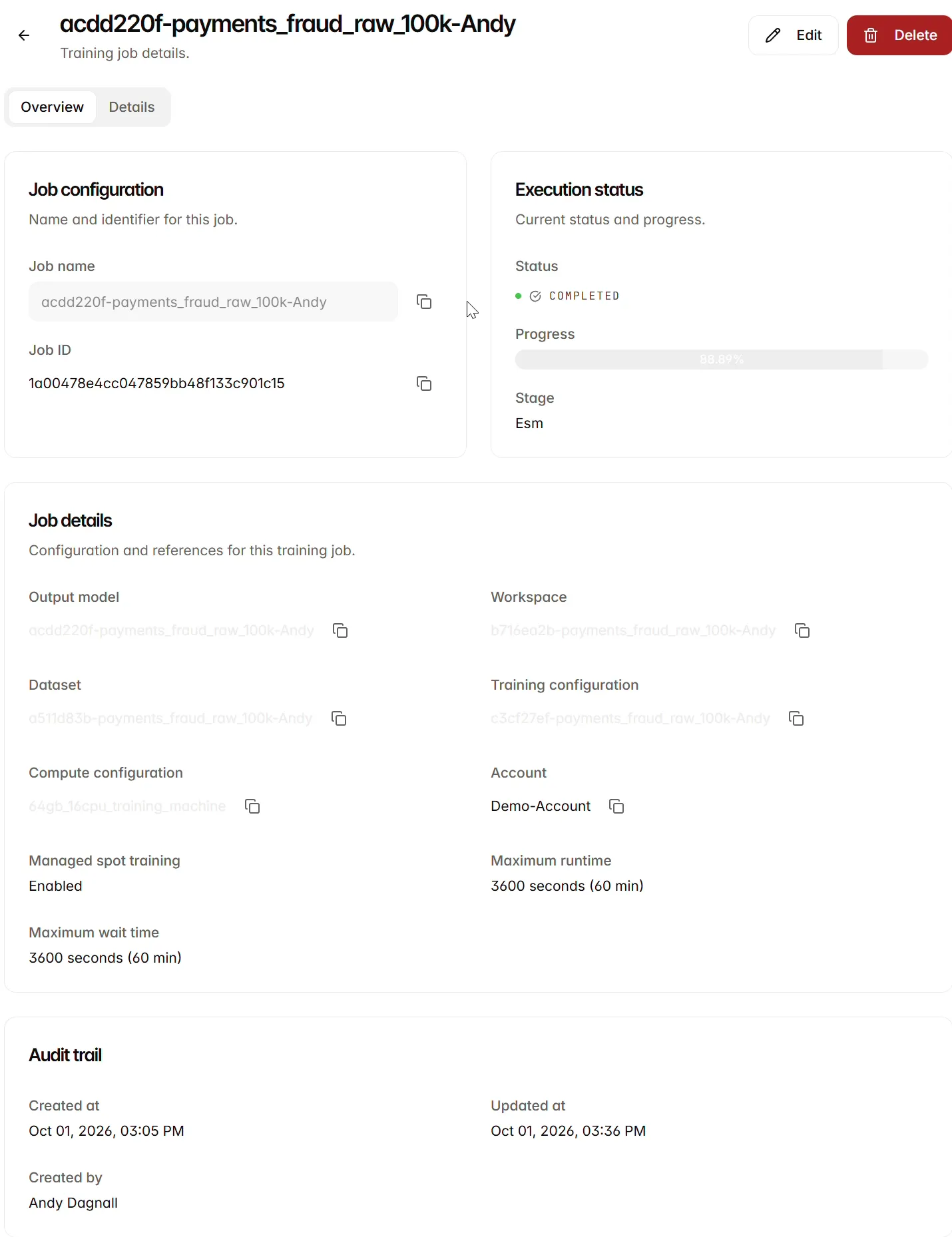
Open a job from the Training jobs list. Overview displays Job configuration, Execution status, Job details and Audit trail. Check the status alongside progress and stage, then verify the output model, workspace, dataset and configuration references.
The example job acdd220f-payments_fraud_raw_100k-Andy shows COMPLETED, progress 88.89% and stage Esm. Check the final status and output model together; the progress percentage alone does not establish whether training completed successfully.
This job uses 64gb_16cpu_training_machine and a maximum runtime of 3600 seconds (60 min). The creation form above uses 120 minutes, so the two examples have different limits. The job’s Overview also reports Managed spot training as Enabled. Inspect these settings on the selected job when comparing runs.
Next steps
Inspect the trained model, then prepare its deployment.